
Showing posts with label scrivener. Show all posts

Friday, August 21, 2015

What We're Writing--Debs Does Scrivener


LOOKING FOR WINNERS!


Celia Fowler, are you there? You were a winner of WHAT YOU SEE! Email me soon at h ryan at whdh dot com …or we’lI have to award it to someone else..


AND THE WINNER OF Linda Fairstein's DEVILS BRIDGE IS: Jennifer Gray!

And the winner of Terminal City is: skkorman

Please contact me a h ryan at whdh dot com with your address by today, please, or we’ll pick other winners!


DEBORAH CROMBIE: We started out our writing week here at JRW (thanks, Hallie and Hank!) talking about timelines and how we keep track of time and characters and what on earth we are doing in a complicated novel--especially if you're working with multiple viewpoints or multiple timelines.

This used to just absolutely drive me nuts, let me tell you. Well, it still drives me nuts, but I'm working on my third novel using the writing software Scrivener, and it has made a huge difference.

I used to do a chapter/scene outline in Word. (I still do a bit of that, but not nearly as much, and I use it more for brainstorming than for keeping up with where I am.) So, say for example, I had a scene with Duncan in Chapter 4 of a book, and Duncan doesn't show up again until Chapter 6. In order to keep track of exactly what happened in the last scene so that it synced with the new one, I could either look at my chapter/scene outline (not very accurate because scenes seldom play out exactly the way I've outlined them beforehand) or I could scroll back through pages of text or manuscript trying to find where the heck I was. (Are you cross-eyed?)

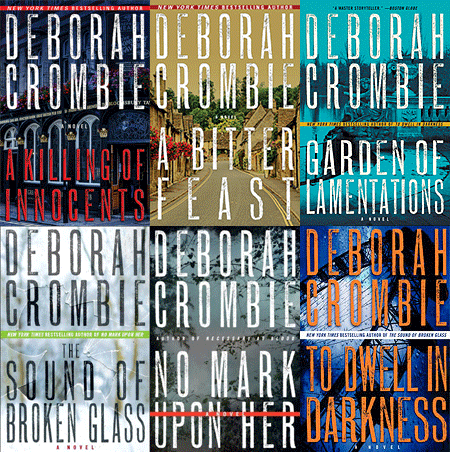
Now, the cool thing about Scrivener is this. Let's start with the whole screen. This is your Binder, which is your project, or in our case, your book. (This is To Dwell in Darkness, so don't worry, no spoilers for #17.)

See the outline pane on the left hand side in the photo below? 


(This is a snippet from Kincaid/James #17, by the way. I always write in chapter/scenes, but this part can be organized any way you like.) When I mouse over scenes that are already written, or even scenes that I have just outlined on the index cards (see the right hand side of the screen) the little index card synopsis pops up and tells me exactly what was in that scene.

Now, see the little index card at the top right? (It's called the Inspector. I have no idea why.) This is where you put your synopsis, and this is what shows up when you mouse over the left hand side. Once a scene is written, I can change that synopsis to make sure the action matches what actually happened in that scene. This makes it so easy to keep track of the characters and the action! (My index cards always start with the day, time of day, and the viewpoint.)

You can put lots of things in your Binder besides Chapter/Scenes (or however you organize your material. See in the photo below, you can make a place for characters, research, timelines, notes...the possibilities are endless.
 You can also put your index cards in a cork board format and rearrange them, and all sorts of other neat things, but that's enough info for now.

Scrivener is a powerful program that can be used for many kinds of projects other than writing novels, so I highly recommend David Hewson's Writing a Novel with Scrivener. This little e-book gave me the courage to dive into Scrivener, and I'm so glad I took the plunge.

(Scrivener was originally designed for Macs but works fine with PCs, too.)

So, dear REDS, what do you think? (Clear as mud?) Would it work for you? It really is so easy once you get the hang of it.

And READERS, when you're reading, do you wonder how writers keep up with what's going on in their stories?








Wednesday, November 16, 2011

Dual monitors - writing in a parallel universe


ROSEMARY HARRIS: Maybe everyone else has already done this and I'm the last to get the email, but last month, while visiting a friend, I noticed that she had two monitors on her desk. Two computers? Nope, dual monitors connected to the same computer. Always a late adapter, I said "why?" really thinking who needs that?
She does a lot of volunteer work for her kids' school and it helped her organize the information on their website. Unlike simply having two windows open, the really cool thing was that you could slide something from one screen to another.
OMG. Does everyone do this - because it has changed my life. I already had an older monitor sitting in the closet. The hardest part was getting the right cable - it's not a splitter, that will just give you the same image on both screens. (Unfortunately this information only came to me after four visits to Radio Shack, where it will be a few months before I can show my face again.)
As someone who writes with an outline it's been great to be able to have the manuscript on one screen and make notes on another.
So tell me, am I the last person on the planet to get hip to this? What was the last tech-y thing that really changed your writing life for the better? (BTW..this is not a pic of my desk..I'm a little messier.)


RHYS: Count me as the last person on the planet after you. I had never heard of this before. I write with a white board beside me and Post-it notes on the board and I could actually have electronic post it notes. We have any number of monitors around the house, so please divulge what kind of cable I need between the two and exactly how this works.


DEBORAH CROMBIE: My husband works with two monitors all the time. Absolutely necessary for doing web page design work. But it never occurred to me that I could use two monitors! Only problem is I work only on my laptop, but that's another subject entirely. Maybe it's time to rethink the issue.
In the meantime, however, my two recent techno OMG HOW COOL! advances are software. Thanks to a recommendation from Jeff Abbott, I discovered Inspiration. It's a mind-mapping program designed primarily for teachers, but it lets me storyboard in a way I've only been able to do on paper before. And I'm also working in Scrivener for the first time, which is just now available for PCs. Not sure I've completely got the hang of it, but it's fun, and allows me to organize and shuffle the writing and research in ways I could never do until now. Whether either of these will entirely replace the pencil-and-paper outline remains to be seen.


HALLIE EPHRON: I've been wondering about Scrivener. I may try it when I start the NEXT novel. I did know about dual monitors - I'd see it first in a video editing suite. I don't have room for two monitors in my office, so it's a moot point.


HANK PHILLIPPI RYAN: I inadvertantly did this. I used my laptop for research at the same time I was using my desktop for writing..and it was blissful! Yeah, I like it. It completely works. But to do it all out, I'd have to have some smart person come and install the whole thing, and right now I don't have time for that.
(Debs, if Jeff Abbott says do it, I'd do it, too. He's brilliant. And David Hewson is a big Scrivener fan. Also a compelling recommendation.)
Right now, I just scribble notes on a pad next to my computer. It works. My big change--this time I got a Book Notebook, with tabs. And thats as high tech as I'm getting.
Sigh...I just--want to finish my new book. And then I'll think about the rest of it.


JULIA SPENCER-FLEMING: When it comes to the technology of writing, I'm just one step up from a Royal typewriter. I compose on a laptop, with multiple windows open for edit page, name bible, research, questions and notes. All my other stuff - working out the themes, the relationships between characters, diagrams and timelines and plot branches - is done in pencil and paper on a hard-bound composition notebook. I've tried various Inspiration-style software and it's never worked for me. For some reason, anything more structured than a blank sheet of paper croggles my creative mind.
I do have one recent piece of software I'm enjoying very much: FREEDOM, http://macfreedom.com/ a program that locks you out of the internet for a pre-determined length of time. Invaluable for a procrastinator like me!


JAN BROGAN : My husband has the two monitors and the ability to slide between them. It seems like overkill to me at least for what I do. But I do have a laptop and an enormous MAC that allows me to put up multiple screens. But I also think that there's something about writing long hand on paper that activates the creative side of my brain - so I stick with it for certain planning aspects.


LUCY BURDETTE: I've been thinking about Scrivener too, but don't have time right now for even the most gentle learning curve. The Guppies chapter of Sisters in Crime are all talking about trying it.
The social media panel (so brilliantly moderated by Hank) on Friday night at the Crime Bake conference was an eye-opener. I was relieved to hear the prediction that Google + is biting the dust because I simply cannot add one more thing to my repertoire...
I don't have two screens. I have piles of scraps and articles and notes I can hardly decipher spread about my office and our bedroom. Sigh...it's like my bedroom IS the second screen.


ROSEMARY: For those who are interested, here's the link to how to do it. http://www.microsoft.com/athome/organization/twomonitors.aspx Seriously, once I had the cable it took about 5 minutes. Your computer needs to have two ports on the back, one for each cable. They will most likely be labeled VGA and DVI. My older monitor only had a VGA connection so on that one I went VGA to VGA. On the other DVI to DVI. Then you go to your control panel and choose how you want the screens to appear. Screens 1 and 2 is (that sounds wrong but it isn't) the option you want.


I still write in pencil on a legal pad but it's been great to be able to add to the manuscript and my outline at the same time. Also a little easier for me to edit as I've been able to add to chapter notes while I'm entering new text.